


posting pics


Registered User
Joined: Nov 2006
Posts: 66
Likes: 0
From: Charleston, SC
Click 'Member Photos' on the top of the screen (right under the banner) and then select 'Upload photos' on the right side of the screen a little bit down. For the category, I choose 'Member galleries'...
Once you upload and the image is accepted, you can copy and paste the link text into your post. Edit-> The text you want to copy is the the one in the 'UBBCode:' text field.
Once you upload and the image is accepted, you can copy and paste the link text into your post. Edit-> The text you want to copy is the the one in the 'UBBCode:' text field.

Registered User
Joined: Oct 2005
Posts: 499
Likes: 0
From: Bonner Springs, KS
1st - You need your pics hosted somewhere on the web. (you have some in your photo gallery)
2nd - Right click on the picture you want to post and select properties.
3rd - Copy the URL address that is then displayed. (It will look like this
h t t p://www.dieseltruckresource.com/pics/data/500/medium/42218Picture_007.jpg)
4th - Insert the address between [IMG] and [/IMG] to display the picture in a post. (It will look like this -
[img]http: //www.dieseltruckresource.com/pics/data/500/medium/42218Picture_007.jpg[/img]
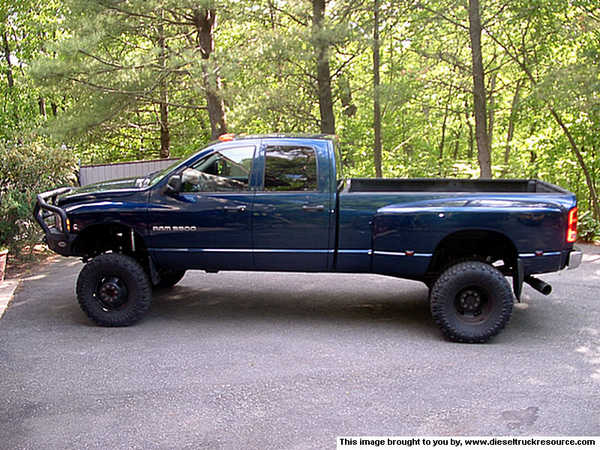
When you post it correctly, the picture will be displayed like this.
2nd - Right click on the picture you want to post and select properties.
3rd - Copy the URL address that is then displayed. (It will look like this
h t t p://www.dieseltruckresource.com/pics/data/500/medium/42218Picture_007.jpg)
4th - Insert the address between [IMG] and [/IMG] to display the picture in a post. (It will look like this -
[img]http: //www.dieseltruckresource.com/pics/data/500/medium/42218Picture_007.jpg[/img]
When you post it correctly, the picture will be displayed like this.


Thread
Thread Starter
Forum
Replies
Last Post
rockwithjason
Suggestions, Comments and Site Questions
2
Feb 28, 2005 08:16 PM