


gps install


Thread Starter
Banned
Joined: Sep 2005
Posts: 758
Likes: 0
From: pacific north wet
 gps install
just added a Garmin 660, awesome unit.
ill start ya all off with a night shot.

day shot

trip computer shot

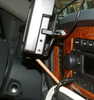
side view of how its mounted

botom looking up

with our windshielsd mounted as far forward as they ar i didnt want to have to reach for the screen. i also didnt want the tattle tale suction cup on the windshiels atracting would be thives.
Garmin provides a smoth plastic disc to mount the suction cup to, it has 3m body tape on the back side. i cleaned the botom of the " eyebrow " on the dash with rubbing alcohol, mounted it. then because of it being atached to the dash, abd as hot as it gets in the summer, i decided in typical overkill fasion to reinforce it. i drilled a piolet hole in the puck, counter bored it, then ran a taperd head screw in. problem was it wound up mot being air tight any more. problem solved, i pulled the screw, pumped some Goop into the hole, started to run the screw back in, but coated the back of the head, then once flush, wiped the excess over the screw. started the truck, let the heat run for a few min (35 deg out). SOLID!
as far as wiring, i taped the cig lighter leads for an aditional power port. normaly i'd just cut the plug off garmins cord and hard wire it, but this one has an fm transmiter/reciver in it. so not wanting to loose my real time traffic updates, mp3 thru the sterio, and hands free etc... well you get the picture. i had read that the transmiter is kinda week, and that for best results to put it as close to the antana as possable, so i routed it behind the dash, to the pasenger side.
performance: awesome. this has the latest generation gps chip in it. as some of you gps nuts out there know, cold starts usualy take a while. when it first arived i powered it up inside the house, no view of the sky, not even a window close. within less than a min it had locked on to 17 satalites and had position locked to 20 feet... INDOORS! walking into another room that had a window droped it to 15 foot accuracy. stepping onto the back porch, drops to 10feet or less, and thats without wae or what ever it is turned on.
user interface: this is where Garmin shines. navigation is simple. intuitive. contrast is exelent, the fuzy cell phone pics dont do it justice.
the icing on the cake: i can read it with polerised glases on! it actualy almost makes it look 3d...
ill start ya all off with a night shot.
day shot
trip computer shot
side view of how its mounted
botom looking up
with our windshielsd mounted as far forward as they ar i didnt want to have to reach for the screen. i also didnt want the tattle tale suction cup on the windshiels atracting would be thives.
Garmin provides a smoth plastic disc to mount the suction cup to, it has 3m body tape on the back side. i cleaned the botom of the " eyebrow " on the dash with rubbing alcohol, mounted it. then because of it being atached to the dash, abd as hot as it gets in the summer, i decided in typical overkill fasion to reinforce it. i drilled a piolet hole in the puck, counter bored it, then ran a taperd head screw in. problem was it wound up mot being air tight any more. problem solved, i pulled the screw, pumped some Goop into the hole, started to run the screw back in, but coated the back of the head, then once flush, wiped the excess over the screw. started the truck, let the heat run for a few min (35 deg out). SOLID!
as far as wiring, i taped the cig lighter leads for an aditional power port. normaly i'd just cut the plug off garmins cord and hard wire it, but this one has an fm transmiter/reciver in it. so not wanting to loose my real time traffic updates, mp3 thru the sterio, and hands free etc... well you get the picture. i had read that the transmiter is kinda week, and that for best results to put it as close to the antana as possable, so i routed it behind the dash, to the pasenger side.
performance: awesome. this has the latest generation gps chip in it. as some of you gps nuts out there know, cold starts usualy take a while. when it first arived i powered it up inside the house, no view of the sky, not even a window close. within less than a min it had locked on to 17 satalites and had position locked to 20 feet... INDOORS! walking into another room that had a window droped it to 15 foot accuracy. stepping onto the back porch, drops to 10feet or less, and thats without wae or what ever it is turned on.
user interface: this is where Garmin shines. navigation is simple. intuitive. contrast is exelent, the fuzy cell phone pics dont do it justice.
the icing on the cake: i can read it with polerised glases on! it actualy almost makes it look 3d...

Registered User
Joined: Sep 2007
Posts: 2,144
Likes: 0
From: Indiana
Looks really good! Nice custom install...........I might give something like that a try!
I just got a Magellan Maestro 4250 and it is great...other than like you said, trying to mount/access it on the windshield!
I just got a Magellan Maestro 4250 and it is great...other than like you said, trying to mount/access it on the windshield!


Registered User
Joined: Aug 2004
Posts: 3,697
Likes: 1
From: Houston, TX
Picked up a Garmin nuvi 350 last week for $299, so far I am very impressed with the unit. I mounted mine in the same location. A little close to the shifter but out of the way, easy to see and touch and meets all state laws for mounting.
Thread Starter
Banned
Joined: Sep 2005
Posts: 758
Likes: 0
From: pacific north wet
[/QUOTE]
i bought a add on power port and ran the wires to the factory cigorette lighter under the dash. .then to get the plug close to the antana, i ran it all under the dash, its located just above the hvac behind the glove box.
as far as wiring, i taped the cig lighter leads for an aditional power port. normaly i'd just cut the plug off garmins cord and hard wire it, but this one has an fm transmiter/reciver in it. so not wanting to loose my real time traffic updates, mp3 thru the sterio, and hands free etc... well you get the picture. i had read that the transmiter is kinda week, and that for best results to put it as close to the antana as possable, so i routed it behind the dash, to the pasenger side.
Trending Topics
Thread Starter
Banned
Joined: Sep 2005
Posts: 758
Likes: 0
From: pacific north wet
look into the 660.. the extras are worth it.
http://www.tigergps.com/index.html is where i got mine. its only $469 the 650 is $449. for $20 its worth it if only for the hands free. but you also get the fm transmitter with it (sells seperatly for almost $200) and blue tooth.
heres a quick comparison on all of them http://www.tigergps.com/index.html


Registered User
Joined: Dec 2005
Posts: 9
Likes: 0
From: Terrace bay, Ontario
just got myself a Garmin 360, awsome unit, but wish I got the wider screen. Thanks for the mounting tip, I was wondering how to mount it lower, i have mine on the windshield next to the mirror. Mine also has the power cord attached to the mounting bracket.

Registered User
Joined: Nov 2004
Posts: 5,680
Likes: 2
From: McKinney, TX
.......
look into the 660.. the extras are worth it.
http://www.tigergps.com/index.html is where i got mine. its only $469 the 650 is $449. for $20 its worth it if only for the hands free. but you also get the fm transmitter with it (sells seperatly for almost $200) and blue tooth.
heres a quick comparison on all of them http://www.tigergps.com/index.html
look into the 660.. the extras are worth it.
http://www.tigergps.com/index.html is where i got mine. its only $469 the 650 is $449. for $20 its worth it if only for the hands free. but you also get the fm transmitter with it (sells seperatly for almost $200) and blue tooth.
heres a quick comparison on all of them http://www.tigergps.com/index.html
Yeah I had considered the 660. The cheapest I have found one on EBay is $419.
http://cgi.ebay.com/GARMIN-NUVi-660-...QQcmdZViewItem
The 650 can be had new for $324. http://cgi.ebay.com/Garmin-Nuvi-650-...QQcmdZViewItem
I was really considering one of the 250w's, but for the little price difference I would have to go to the 650. But another $95ish I just don't know about getting the 660. Im not sure I would use the blue tooth or FM Trans. I have an ear piece blue tooth now....
Thanks for the pics of the install......and info though!
..

Registered User
Joined: Apr 2006
Posts: 306
Likes: 0
From: Southern NH
I use a proclip with good results. No glue no hassle.
http://www.proclipusa.com/Default.asp
The 7200 is a bit heavier than other units, so the brace is needed.

http://www.proclipusa.com/Default.asp
The 7200 is a bit heavier than other units, so the brace is needed.

Registered User
Joined: Jun 2002
Posts: 149
Likes: 1
From: So. Cal. USA
just added a Garmin 660, awesome unit.
ill start ya all off with a night shot.
day shot
trip computer shot
side view of how its mounted
botom looking up
with our windshielsd mounted as far forward as they ar i didnt want to have to reach for the screen. i also didnt want the tattle tale suction cup on the windshiels atracting would be thives.
Garmin provides a smoth plastic disc to mount the suction cup to, it has 3m body tape on the back side. i cleaned the botom of the " eyebrow " on the dash with rubbing alcohol, mounted it. then because of it being atached to the dash, abd as hot as it gets in the summer, i decided in typical overkill fasion to reinforce it. i drilled a piolet hole in the puck, counter bored it, then ran a taperd head screw in. problem was it wound up mot being air tight any more. problem solved, i pulled the screw, pumped some Goop into the hole, started to run the screw back in, but coated the back of the head, then once flush, wiped the excess over the screw. started the truck, let the heat run for a few min (35 deg out). SOLID!
as far as wiring, i taped the cig lighter leads for an aditional power port. normaly i'd just cut the plug off garmins cord and hard wire it, but this one has an fm transmiter/reciver in it. so not wanting to loose my real time traffic updates, mp3 thru the sterio, and hands free etc... well you get the picture. i had read that the transmiter is kinda week, and that for best results to put it as close to the antana as possable, so i routed it behind the dash, to the pasenger side.
performance: awesome. this has the latest generation gps chip in it. as some of you gps nuts out there know, cold starts usualy take a while. when it first arived i powered it up inside the house, no view of the sky, not even a window close. within less than a min it had locked on to 17 satalites and had position locked to 20 feet... INDOORS! walking into another room that had a window droped it to 15 foot accuracy. stepping onto the back porch, drops to 10feet or less, and thats without wae or what ever it is turned on.
user interface: this is where Garmin shines. navigation is simple. intuitive. contrast is exelent, the fuzy cell phone pics dont do it justice.
the icing on the cake: i can read it with polerised glases on! it actualy almost makes it look 3d...
ill start ya all off with a night shot.
day shot
trip computer shot
side view of how its mounted
botom looking up
with our windshielsd mounted as far forward as they ar i didnt want to have to reach for the screen. i also didnt want the tattle tale suction cup on the windshiels atracting would be thives.
Garmin provides a smoth plastic disc to mount the suction cup to, it has 3m body tape on the back side. i cleaned the botom of the " eyebrow " on the dash with rubbing alcohol, mounted it. then because of it being atached to the dash, abd as hot as it gets in the summer, i decided in typical overkill fasion to reinforce it. i drilled a piolet hole in the puck, counter bored it, then ran a taperd head screw in. problem was it wound up mot being air tight any more. problem solved, i pulled the screw, pumped some Goop into the hole, started to run the screw back in, but coated the back of the head, then once flush, wiped the excess over the screw. started the truck, let the heat run for a few min (35 deg out). SOLID!
as far as wiring, i taped the cig lighter leads for an aditional power port. normaly i'd just cut the plug off garmins cord and hard wire it, but this one has an fm transmiter/reciver in it. so not wanting to loose my real time traffic updates, mp3 thru the sterio, and hands free etc... well you get the picture. i had read that the transmiter is kinda week, and that for best results to put it as close to the antana as possable, so i routed it behind the dash, to the pasenger side.
performance: awesome. this has the latest generation gps chip in it. as some of you gps nuts out there know, cold starts usualy take a while. when it first arived i powered it up inside the house, no view of the sky, not even a window close. within less than a min it had locked on to 17 satalites and had position locked to 20 feet... INDOORS! walking into another room that had a window droped it to 15 foot accuracy. stepping onto the back porch, drops to 10feet or less, and thats without wae or what ever it is turned on.
user interface: this is where Garmin shines. navigation is simple. intuitive. contrast is exelent, the fuzy cell phone pics dont do it justice.
the icing on the cake: i can read it with polerised glases on! it actualy almost makes it look 3d...
 Thanks for sharing your masterpiece!

Registered User
Joined: Mar 2007
Posts: 680
Likes: 1
From: Illinois