


how come photos will not upload?


Thread Starter
Registered User
Joined: Dec 2006
Posts: 1,118
Likes: 0
From: Winchester, TN
how come photos will not upload?
I uploaded a pic from my own url and it says "image successfully uploaded" but then when I look there is no image in my gallery. I've also tried uploading them off my computer. Same result.  What gives?
What gives?

Administrator
Joined: Apr 2002
Posts: 3,360
Likes: 5
From: MidWest
Could be several reasons.
Some of the most common would be that the photo violates the site rules in some way and the photo gets removed by an Admin.
Another possibility would be that the URL is invalid.
Rich
Some of the most common would be that the photo violates the site rules in some way and the photo gets removed by an Admin.
Another possibility would be that the URL is invalid.
Rich


Thread Starter
Registered User
Joined: Dec 2006
Posts: 1,118
Likes: 0
From: Winchester, TN
The photos are of my truck and positively within all guidelines. The url works fine. See image below. On a number of occasions I have uploaded different photos to this website and always get the "image successfully loaded" message. Then when i go check my gallery nothing is there. I know they have to be approved before a large image can bee seen by everyone but you should still be able to see the small jpg before it gets approval. I also have this problem on another forum with the exact same format as this one. I guess I can live with it, as I have been for the past 3 months, but I sure do wish I could post pics into my gallery. 


Administrator
Joined: Aug 2001
Posts: 3,529
Likes: 2
From: Disputanta, Virginia

DiEseLjunKy,
I've never tried to upload pics into my Gallery from another URL address. I have only uploaded from my computer files into the Gallery. I'll do a little experimenting when I get a chance, but I was wondering if it may be something on photosite.com that is keeping the pics from going through.
There is one way to get around it. You can download the pics from photosite that you want to put in your gallery onto your computer. Then upload them from your computer into your gallery here on the site.
I just saved the picture you posted onto my computer and then upoaded it into your gallery. (Only Admins can upload pictures under another member's name.) This is it below.
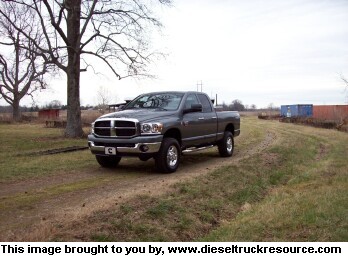
Just an idea until I do a little more research on the matter.
I've never tried to upload pics into my Gallery from another URL address. I have only uploaded from my computer files into the Gallery. I'll do a little experimenting when I get a chance, but I was wondering if it may be something on photosite.com that is keeping the pics from going through.
There is one way to get around it. You can download the pics from photosite that you want to put in your gallery onto your computer. Then upload them from your computer into your gallery here on the site.
I just saved the picture you posted onto my computer and then upoaded it into your gallery. (Only Admins can upload pictures under another member's name.) This is it below.
Just an idea until I do a little more research on the matter.
Thread Starter
Registered User
Joined: Dec 2006
Posts: 1,118
Likes: 0
From: Winchester, TN
Hey RATTLINRAM I hate asking but could you load a couple more pics for me. I've tried loading directly from my computer but the files are too big and I can't figure out how to make them smaller with my kodak easyshare. I upload from my photosite website url and it says "image successfully loaded" but then nothing ever gets uploaded. I need a few gallery images in the slim chance that my truck may be considered for ToM. I really do appreciate your help.


or if those images are too large these can be put in there instead:


or if those images are too large these can be put in there instead:

Thread
Thread Starter
Forum
Replies
Last Post
redsealdodge
Performance and Accessories 2nd gen only
31
Dec 7, 2007 05:22 PM
DiEseLjunKy
Suggestions, Comments and Site Questions
1
Jul 5, 2007 07:04 AM