
Suggestions, Comments and Site Questions Post your comments and suggestions here. We always want to improve the site.

Avatar Question

Thread Tools
 
Search this Thread
 
Old Dec 13, 2007 | 12:55 AM
  #1  
TexasCTD's Avatar
Thread Starter
Registered User
 
Joined: Nov 2004
Posts: 5,680
Likes: 2
From: McKinney, TX
Avatar Question

I am trying to put a new avatar beside my screen name. I keep copying and resizing pics on my computer......but I can never seem to get them small enough. They are always larger than 14.6kb. I mean even down to 15.2 I can't even see them....they are like a dot on the page. Any suggestions?

I'd like to try using one of these pics from my gallery.
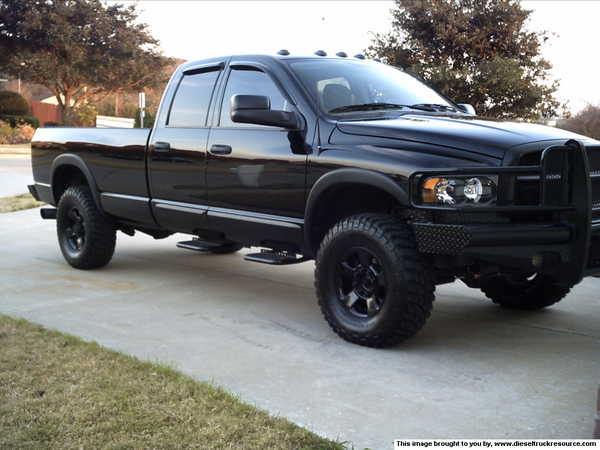


..
Reply
Old Dec 13, 2007 | 08:04 AM
  #2  
RATTLINRAM's Avatar
Administrator
 
Joined: Aug 2001
Posts: 3,529
Likes: 2
From: Disputanta, Virginia
,,,,,,,,,, How's that?
Reply
Old Dec 13, 2007 | 12:44 PM
  #3  
DevilzTower's Avatar
Registered User
 
Joined: Feb 2005
Posts: 485
Likes: 1
From: Twin Cities Mn
hey Tex, what format is that picture in? jpeg is one of the smaller formats, but some of the defaults like bitmap are positively monsterous in comparison ...
Reply
Old Dec 13, 2007 | 12:50 PM
  #4  
TexasCTD's Avatar
Thread Starter
Registered User
 
Joined: Nov 2004
Posts: 5,680
Likes: 2
From: McKinney, TX
Originally Posted by RATTLINRAM
,,,,,,,,,, How's that?


Thanks Dennis! That is great! Looks great and I appreciate your help!

Only problem is, I still don't know what to do to do it myself.


..
Reply
Old Dec 13, 2007 | 12:53 PM
  #5  
TexasCTD's Avatar
Thread Starter
Registered User
 
Joined: Nov 2004
Posts: 5,680
Likes: 2
From: McKinney, TX
Originally Posted by DevilzTower
hey Tex, what format is that picture in? jpeg is one of the smaller formats, but some of the defaults like bitmap are positively monsterous in comparison ...


When I look at it on "My Pictures" in my computer, it says it is a JPEG file, 1024 x 768, 405KB.

I can downsize it. I have downsized them and saved them in "my pictures". But I can't seem to downsize it enough for the Avatars. They look like a speck or a dot on the page they are so small and I don't know what to do to make it not use up as much space and still see the pic.

..
Reply
Old Dec 13, 2007 | 01:20 PM
  #6  
RATTLINRAM's Avatar
Administrator
 
Joined: Aug 2001
Posts: 3,529
Likes: 2
From: Disputanta, Virginia
Originally Posted by TexasCTD
Thanks Dennis! That is great! Looks great and I appreciate your help!

Only problem is, I still don't know what to do to do it myself.


..
I saved the pic in your above post to my computer (it was 600x450 pixels. You'll notice I cropped a bit off the left side in order to make it a little more square), then I resized it to a size of 65x53 pixels (the max size for an avatar is 65x65 pixels). I did this using Microsoft Office Picture Manager. You can also do the same thing using MS Paint (SEE THREAD HERE) which is on most all computers.
Reply
Old Dec 13, 2007 | 01:36 PM
  #7  
TexasCTD's Avatar
Thread Starter
Registered User
 
Joined: Nov 2004
Posts: 5,680
Likes: 2
From: McKinney, TX
Thanks again Dennis. I will try to practice with that some maybe late tonight, when I have more time. I do have the "Paint" program.

..
Reply
Related Topics
Thread
Thread Starter
Forum
Replies
Last Post
Begle1
Suggestions, Comments and Site Questions
4
Apr 9, 2006 08:55 PM
Lil Dog
Suggestions, Comments and Site Questions
2
Jul 25, 2004 11:12 PM
LinearX
Other
3
Mar 13, 2003 09:31 AM


All times are GMT -5. The time now is 08:11 AM.